
Troubleshooting and Fixing Common Motherboard Problems
Having trouble with your computer not turning on or encountering power issues? It might be due to problems with the motherboard. The motherboard is like the brain of your computer, connecting all its parts so they work together smoothly. When it stops working right, it can cause a lot of headaches. In this guide, we’ll look at why these issues happen and how you can fix them. Whether you’re a tech expert or just starting out, this information will be helpful in tackling these common problems.
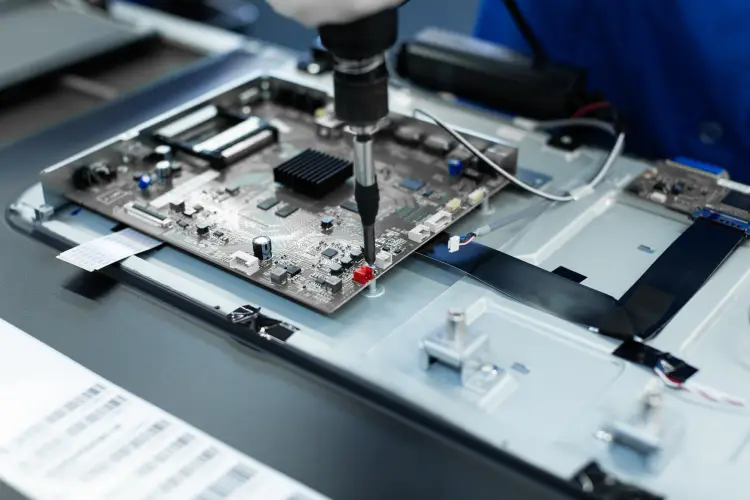
The Role of the Motherboard in Your Computer
Motherboards are crucial because they connect every part of your computer. They manage communications between the processor, memory, and other components. Without a properly functioning motherboard, your computer won’t boot up or may experience frequent crashes. Understanding how it works helps in diagnosing problems effectively.
Signs That Indicate Motherboard Problems
Detecting motherboard issues early can save you from bigger troubles later. Be on the lookout for these signs:
- Computer fails to power on
- Unusual noises during startup
- Frequent system crashes or freezes
- Error messages related to hardware
If you notice any of these signs, it might be time to consider motherboard repair.
Understanding Power and Booting Issues
When your computer doesn’t start, it’s often linked to power supply problems or errors in the motherboard’s circuitry. Faulty connections or damaged components can prevent the system from getting enough power to boot properly. To fix this, checking all connections and ensuring no visible damage exists is a good start.
Steps for DIY Motherboard Repair
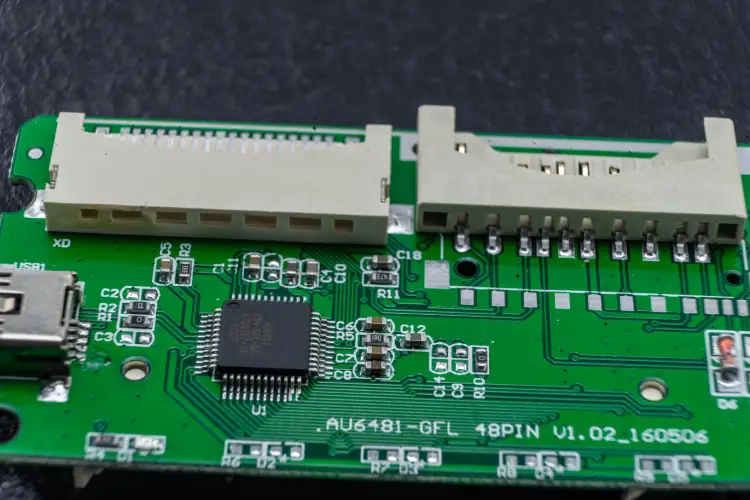
If you’re handy with tools, you may attempt some basic motherboard repairs yourself:
- Turn off your computer and unplug it.
- Remove the case cover to access the motherboard.
- Look for any loose cables and secure them.
- Check for blown capacitors or burnt components.
- If possible, reseat RAM modules and expansion cards.
- Test the power supply unit (PSU) using a multimeter.
Remember, if you’re unsure about what you’re doing, it’s best to seek professional help for complex motherboard repair jobs.
Professional Solutions and Services
Sometimes, DIY solutions aren’t enough, and professional intervention becomes necessary. Certified technicians have tools and expertise that ensure thorough inspection and repair. These services generally include diagnostic tests to pinpoint faulty areas quickly and offer solutions to extend the lifespan of your device.
The Cost of Repair Versus Replacement
A frequent question involves deciding whether to repair or replace a faulty motherboard. Repairs are usually less expensive than replacements but should be weighed against the age and performance needs of your device. Investing in repair is wise when costs remain under control and components remain compatible with newer technologies.
Ensuring Longevity With Regular Maintenance
The key to preventing future motherboard issues lies in regular care. Follow these tips to maintain optimal performance:
- Keep your computer clean and free from dust buildup.
- Avoid overheating by ensuring proper ventilation.
- Use surge protectors to shield against power spikes.
- Update drivers and firmware regularly for compatibility.
These practices not only prolong your motherboard’s life but also enhance overall system reliability.
Connect With Our Trusted Repair Team
If you’re facing persistent motherboard challenges, our team is here to help. Based in Falls Church, VA, we specialize in comprehensive diagnostics and effective solutions to get you back on track quickly. Contact Tech Doc Repairs LLC today at (703) 362-5873 to discuss your specific needs and learn more about our tailored support options designed to keep your systems running smoothly well into the future.