
Troubleshooting and Solutions for an Overheating Device
If your phone gets hot, it’s not just annoying; it could be a sign of bigger problems. When a phone overheats, it might slow down or turn off unexpectedly. This can happen for several reasons, but often the battery is to blame. The good news is, replacing your phone’s battery might solve these issues. In this article, we’ll explore why phones overheat and how a new battery can help. We’ll also cover other solutions to keep your phone cool.
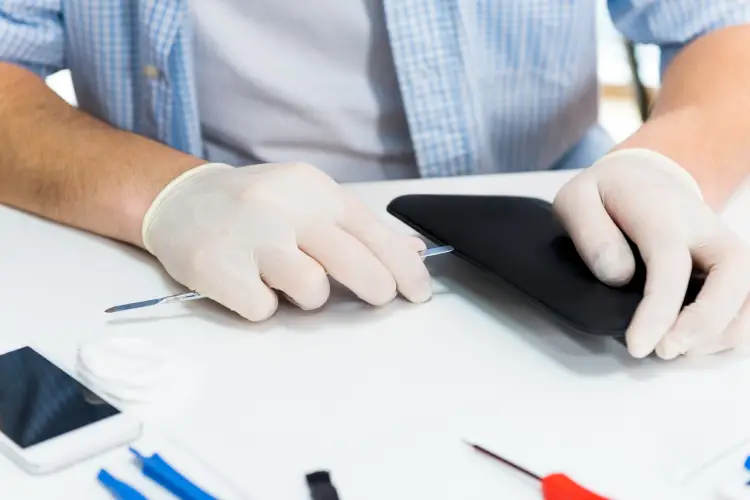
Why Phones Overheat
Phones can get too hot for many reasons. Using power-hungry apps or leaving them in the sun are common causes. Sometimes, a malfunctioning battery can cause overheating. If your phone gets very hot while charging, it could mean the battery isn’t working right. It’s important to know what causes heat so you can fix it.
How Phone Batteries Contribute to Heat
As batteries age, they lose efficiency and create more heat. This excess heat can damage other parts of the phone. A faulty battery might even swell up, making overheating worse. By getting a phone battery replacement, you address one major source of heat.
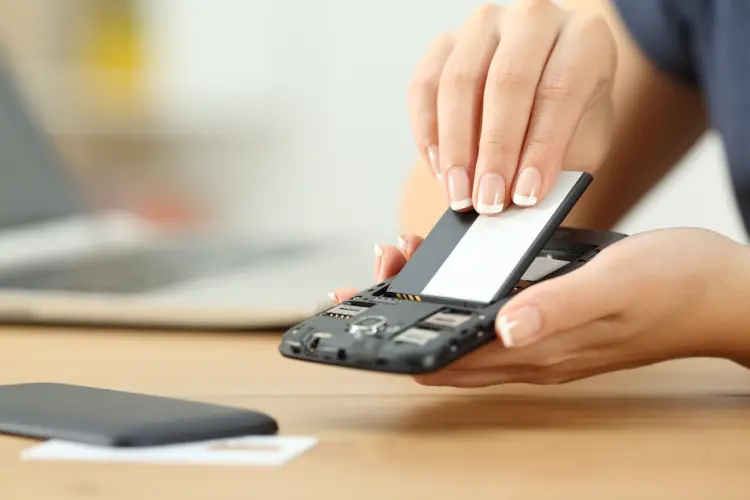
Signs You Need a New Battery
There are signs that a battery needs replacing. Does your phone die quickly? Does it get hot after short use? These are clues. Also, if the back of your phone feels unusually warm without any demanding apps open, consider getting a phone battery replacement.
Benefits of Replacing Your Phone’s Battery
A new battery can make your device act like new again. It will hold charge better and reduce overheating risks. Here are some benefits:
- Longer battery life
- No random shutdowns
- Less heat production
- Improved overall performance
By changing the battery, you give your phone a chance to work efficiently.
Steps to Replace Your Phone Battery
Replacing a battery isn’t always simple, but it’s doable with care. Here are steps you can follow:
- Turn off your phone completely.
- Remove the back panel carefully.
- Take out the old battery safely.
- Insert the new battery correctly.
- Place the back panel on securely.
- Turn on the phone to test it.
Make sure you have the right tools and components before starting.
Tips for Keeping Your Phone Cool
You don’t need to replace your battery just yet. Try these tips to keep your device cool:
- Avoid using heavy apps when charging
- Keep your phone away from direct sunlight
- Close unused apps running in the background
- Avoid using high-performance settings constantly
These everyday actions can prevent overheating without much effort.
The Role of Quality in Battery Replacement
When replacing a battery, quality matters. Cheap replacements may not last long or could pose safety risks. Always choose batteries from trusted sources. They offer reliability and safety guarantees. A quality component ensures your investment lasts longer and performs well.
Your Next Steps With Expert Help
If you’re still unsure about replacing your phone’s battery or fixing its overheating issue, professional advice is invaluable. Experts provide insights based on experience with various models and brands. Consult professionals for accurate assessments and quality replacements.
Get Professional Assistance Today
In Falls Church, VA, we focus on delivering lasting solutions for all your mobile concerns. Reach out to Tech Doc Repairs LLC today at (703) 362-5873 for reliable service and expert guidance. Our team is dedicated to ensuring your devices run smoothly and efficiently.